Glossary · Module 4: Search Engine Mechanics, NLP & Linguistics · Term 50
Cost of Retrieval
The computing price a search engine pays for every page of your site, and the benchmarks that keep it low.
Topical Authority = (Historical Data × Topical Coverage) / Cost of Retrieval
Quick definition. Cost of Retrieval is the total computational expense a search engine pays to crawl, render, parse, index, and rank a document or a web entity. That includes processing power, memory, crawling bandwidth, and parsing energy. Sites that keep it low earn more crawling, more tolerance, and a steadier ranking state.
Why Cost of Retrieval matters
A search engine does not rank what it cannot afford to read. Every page costs it computing power to fetch, render, parse, index, and serve. If that bill is higher than the value of the page, the page loses.
Koray Tuğberk GÜBÜR puts it as economics. He describes Google as an advertising business first and an information retrieval system second. In his reading, the cost of crawling, rendering, testing, and understanding a page cannot exceed the cost of not ranking it.
He also points to trial testimony from the U.S. antitrust case against Google. According to his course material, Google runs lightweight heuristics on most documents and saves expensive machine learning for sources with enough historical demand. A cheap site gets evaluated more often and more deeply.
This is why Cost of Retrieval is the denominator in the Topical Authority Formula. Two sites with the same coverage and the same history can rank differently. The cheaper one wins.
The five costs
Koray splits the idea into five costs. Each one has its own fix.
The glossary definition adds the physical side: processing power, memory, crawling bandwidth, and parsing energy. All of it falls on the search engine, and all of it falls less on a lean site.
Benchmarks Koray uses
These numbers come from Koray’s course lectures and case studies. Treat them as working targets, not as official Google limits.
A high share of 304 Not Modified answers is a good sign. It means the crawler reuses its cached copy, so rechecking the page costs almost nothing.
Case studies with numbers
The numbers below come from Koray’s talks, case studies, and course material.
- Subscription tracker (400 to 450 indexed URLs). Googlebot went from 26 requests a day to 40,000 to 60,000, with 98% to 99% on HTML. When latency rose to about 200 ms, crawling fell from 40,000 to 2,000 to 3,000 hits a day. Bringing TTFB back to 30 to 40 ms restored it above 50,000. Clicks grew from 50 to 3,000 or 4,000 a day with no link building.
- Energy comparison portal. The site cut external CSS and JS from more than 8 files and 550 KB to 3 files and 21 to 25 KB. The homepage DOM fell to 570 nodes, against 640 for the main competitor. Switching from Gzip to Brotli saved another 36%. Organic traffic grew from 10,000 to 500,000 monthly clicks and the site ranked for 38,000 new queries.
- Small e-commerce catalog. 40 products and 25 filters, combined with hidden database parameters, produced over 3,000,000 crawlable URLs. Daily Googlebot requests rose from 4,000 or 5,000 to more than 1,200,000. Traffic fell 30% in three weeks. The fix cut the catalog to 47 canonical URLs. Non-200 URLs dropped by 200,000 in one day, and daily crawl hits settled at 300 to 400.
- Programmatic directory (100,000 pages). Moving the calculator from below the fold into the centerpiece cut visual parsing and DOM work. Google re-crawled the whole directory. Clicks rose from 3.47 million to 4.53 million (+30.5%) and impressions from 84.1 million to 167 million (+98.6%).
- Domain migration. A previous setup left 50,000 dead URLs that returned 404 and 301 loops, and traffic fell 40%. After fixing the status pipeline, the new domain grew from 31,000 to 73,000 ranked queries.
- Review site. Rebuilt crawl paths, cleaned thin review variants, pruned dead pages, and lowered response times. Koray uses it to show that log efficiency protects visibility when the SERP changes how it classifies sources.
How to lower it
Work through these four areas in order. Check your server logs after each change.
1. The server
- Keep TTFB under 100 ms. Koray reached 18 ms with opcode caching.
- Split your CSS into one global file and one file per template. Do not ship the homepage stylesheet to subpages. Googlebot caches the global file and skips it on later pages.
- Block internal API endpoints, search scripts, and JSON files in robots.txt so the crawler spends its visits on HTML.
- Switch from Gzip to Brotli compression.
2. The document
- Remove empty wrapper divs. Use semantic elements such as main, article, header, section, and aside.
- Put the metadata, the H1, and the first direct answer in the opening bytes. TCP slow start sends only about 1,460 bytes in the first packet.
- Use system fonts. This removes render-blocking font requests and layout shifts.
- Serve content in HTML. If turning off JavaScript leaves an empty shell, rendering is delayed and canonicalization mistakes follow.
3. The URL set
- Apply Query Deserves a Page. If a variation has no distinct demand and no unique facts, do not create the URL. Answer it with a table, calculator, or annotation. See Query Deserves Triad.
- Return 410 Gone for removed low value or parameter URLs. Avoid soft 404s and redirect chains.
- Group XML sitemaps in batches of 1,000 URLs. List only 200 OK, indexable, canonical URLs.
4. Internal links
- Remove internal links that point to 301, 302, 404, or 410 URLs. Each hop burns crawl budget and weakens PageRank transfer.
- Prune low value pages so PageRank concentrates on Core Section pages and Quality Nodes.
- Keep one clear chain: root hub, category seed, sub-seed node. Avoid pagination loops and orphan pages.
Common mistakes
- The latency trap. In Google Search Console, the response time curve climbs and crosses the falling crawl requests line. Koray calls this crawl stats kissing. A jump from 100 ms to 1 second makes Googlebot slow down, and the index goes stale.
- Faceted navigation explosion. Sort, color, and size filters create new URLs without canonical tags or disallow rules. The crawler loops through duplicates.
- The quality fallacy. Assuming rich long content ranks no matter how heavy the page is. If a site is expensive to render and parse, the search engine skips the deeper content and picks a cheaper source.
- Depending on client-side JavaScript to inject the main content.
- Uncontrolled scale. Publishing 5,000 to 10,000 AI generated pages overnight on a new domain with no history. The retrieval cost looks too high for the demand, and the site can be demoted or removed.
- Internal link blasting. Adding hundreds of footer or sidebar links with no semantic link between them. This dilutes PageRank and inflates the DOM.
Related terms
- Topical Authority Formula: the equation where Cost of Retrieval is the denominator.
- Cost of Retrieval for LLMs and AI Agents: the same idea applied to AI crawlers.
- Worth-to-Index Ratio: the value side of the trade.
- Positive vs Negative Ranking State: what a low cost helps you keep.
- Visual Semantics: why layout and the centerpiece change parsing cost.
- Central Entity: the focus that keeps the URL set small and relevant.
Patents and Google leak notes
Patents describe how a search system could work. They do not prove the weighting in use today. Read them as evidence of the design.
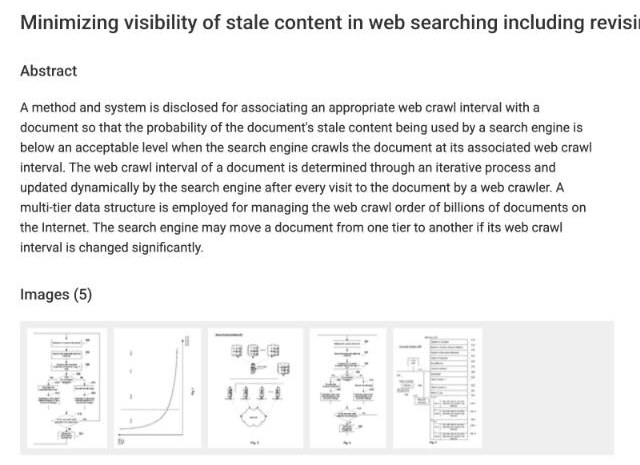
Crawl scheduling. US-8407204-B2, “Minimizing visibility of stale content in web searching including revising web crawl intervals of documents” (Google, filed 2011, published 2013), gives each document a crawl interval. The claims place documents in tiers, then revise each interval after a new copy is fetched and the change is measured. One claim sets the revised interval below the document’s content update interval and above half of it. Another ties it to the user click rate when clicks outpace updates. A document that changes often and gets clicked is fetched often.
Limited resources. US-8868541-B2, “Scheduling resource crawls” (Google, filed 2011), opens by noting that fixed computing resources, such as processor time, memory, and storage, make it hard to keep pace with the web. It estimates a crawl interval for each resource. US-8645342-B2, “Scope based indexing prioritization” (Microsoft, filed 2012), orders indexing work in a priority queue. It targets local item indexing, so it is only a parallel for the idea of prioritizing scarce work.
Scale. The research paper “Web Search for a Planet: The Google Cluster Architecture” by Barroso, Dean, and Hölzle (IEEE Micro, 2003) describes the economics of running search at scale.
Leaked attributes. CrawlerChangerateUrlChange.additionalChangesMerged says duplicate URL changes crawled within a set time range are merged. That removes repeat work. CompositeDocAdditionalChecksums.NoTransientChecksum96 is a checksum of the page with boilerplate stripped, which is cheaper to compare. IndexingDocjoinerDataVersion.boilerplateVisibleBytesEstimates counts boilerplate bytes. PerDocData.hostAge is used in a twiddler to sandbox fresh spam at serving time, so young hosts face more checking. Koray reads these as signs that retrieval cost is tracked. This is an interpretation, not a confirmed signal.
Learn it in the course
Koray teaches this term in Topical Authority Course Lecture 4, on topical map components, and Lecture 67, titled Cost of Retrieval. His YouTube talk on the positive ranking state, based on 35 SEO projects, shows the same pattern in client data.
The course page holds the full lesson series by Behzad Hussain. The roadmap shows where this term sits in the learning order.
Frequently asked questions
Is Cost of Retrieval the same as crawl budget?
No. Crawl budget is one part of it. Cost of Retrieval also covers rendering, parsing, indexing, serving, and testing. A site can have enough crawl budget and still cost too much to understand.
What is a good TTFB for SEO?
Koray aims for under 100 ms and prefers under 40 ms. He treats 120 to 150 ms as acceptable and 200 ms as the point where crawling starts to fall.
How do I measure it?
Read your server logs. Check the share of Googlebot hits on HTML, the split of 200, 304, 301, and 404 responses, and the response time. Compare them with the crawl stats report in Google Search Console.
Does it matter for a small site?
Yes. One case study had only 400 to 450 indexed URLs. Lowering response time and keeping status codes clean raised Googlebot hits from 26 to tens of thousands a day.

Written by
Personal Injury SEO Strategist, founder of Rank Brilliance, and Certified Semantic SEO Expert in Koray’s methodology. He built this free Semantic SEO course and its 96-term glossary. Based on Koray Tuğberk GÜBÜR’s framework.
Last updated · Book a call